

When we started rebuilding parts of Prepr’s marketing website, the goal was not just to refresh the design. We wanted to fix a few deeper issues at the same time and see how far we could push AI in a real development workflow.
The website had been built about two years earlier. Since then, both Prepr and the way we build with it have evolved. Our front-end setup is better, and we’ve improved how we structure code, model content, and build reusable components. This rebuild was a chance to bring everything up to that level.
Because we were working with repeatable components inside a structured system, we had the right conditions to test whether AI could generate usable code, not just prototypes.
In practice, that meant going from a finished design to a working component in minutes. But that speed was not just the result of using AI. It depended heavily on how the underlying system was structured.
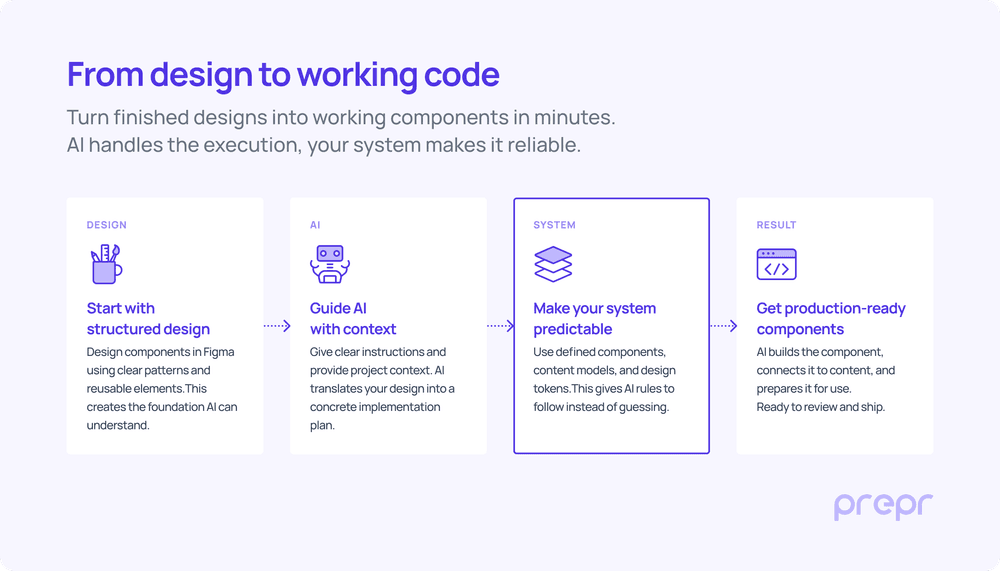
To understand why this worked, it’s important to look at what had to change first.
We had to change before AI could work
The structure of the old website no longer matched how we wanted to build, and more importantly, it did not provide a strong enough foundation for predictable code generation.
One of the main issues was how sections were being used. Components designed for a specific purpose were reused across different contexts without clear constraints, allowing use cases they were not designed for and leading to inconsistent implementations.
There was also no clear contract between components and layout. Sections were treated as isolated blocks, each with its own spacing rules. When combined, this often resulted in excessive or inconsistent whitespace, with no centralized way to control it.
Together, these issues made the system harder to reason about and limited how reliably components could be reused.
How we restructured the system behind the website
To fix those issues, we changed how the website is structured.
Instead of building pages from larger fixed sections, we moved to a more modular block-based approach. Components are now smaller, more reusable, and designed to work in combination with one another, with clearer boundaries around how they should be used.
We redesigned the content structure around that same idea. Each block now has a clearer responsibility and a predictable data shape, making it easier to reuse across different contexts without creating inconsistencies.
We also rebuilt the design system behind the website. Spacing, typography, colors, and layout rules are now defined as variables in both Figma and code, giving us a shared system across design and development.
That keeps the website more consistent, makes updates easier, and creates the structured foundation we needed to use AI effectively in development.
Why our technical setup made AI effective
The setup around the project played a big role in making AI useful.
We use Prepr as the CMS, and the marketing site is built with Next.js. For data fetching, we use Apollo together with GraphQL code generation. That part matters more than it may seem at first.
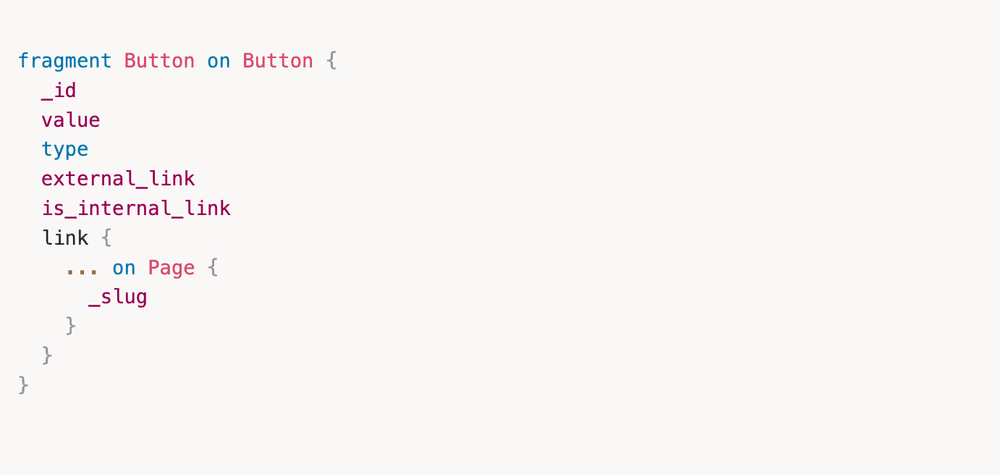
Because our GraphQL setup is strongly typed and based on fragments, every block has a clearly defined data shape. We split blocks and sections into dedicated fragments and pass those directly into components as typed props.
Example GraphQL fragment
Example typed component props

That gives every component a predictable data shape and creates a clear connection between schema and front-end implementation.
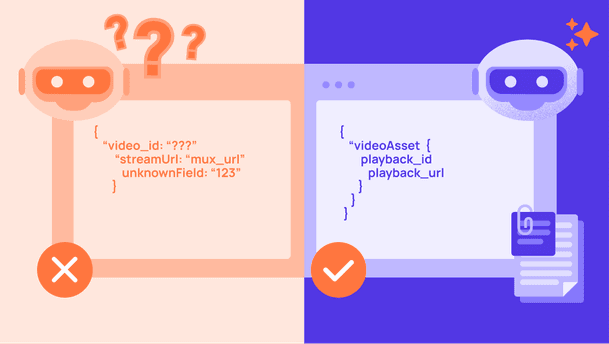
Because this structure already exists, AI has far less room to guess. It can see what data belongs to a component, how it is typed, and how similar components are built elsewhere in the project.
This is one of the main reasons the output was usable so quickly. The more structured the system, the easier it is for AI to generate code that actually fits.
How we integrated AI into our workflow
Beyond the technical setup of the project itself, the way we integrated AI into our day-to-day workflow also matters.
We use Cursor as our IDE. Its built-in AI features help with code completion and smaller implementation tasks, while Claude and Claude Code handle larger generation tasks such as planning components or generating content models.
Storybook is another important part of the workflow. It allows us to build and review components in isolation without needing the full CMS connected or content entered first. That makes it much faster to validate component variations while iterating.
On top of that, we provide Claude with project-specific context through a CLAUDE.md file.
This file contains instructions about how the codebase is structured and how components should be implemented. Instead of relying only on prompts, we provide AI with the broader rules and conventions of the project before it starts generating anything.
Example excerpts from our CLAUDE.md file
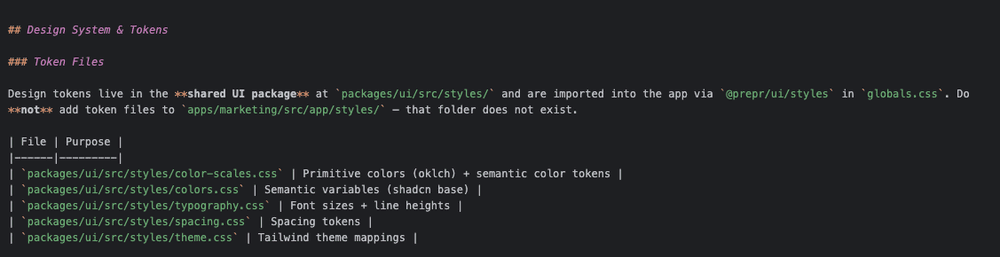
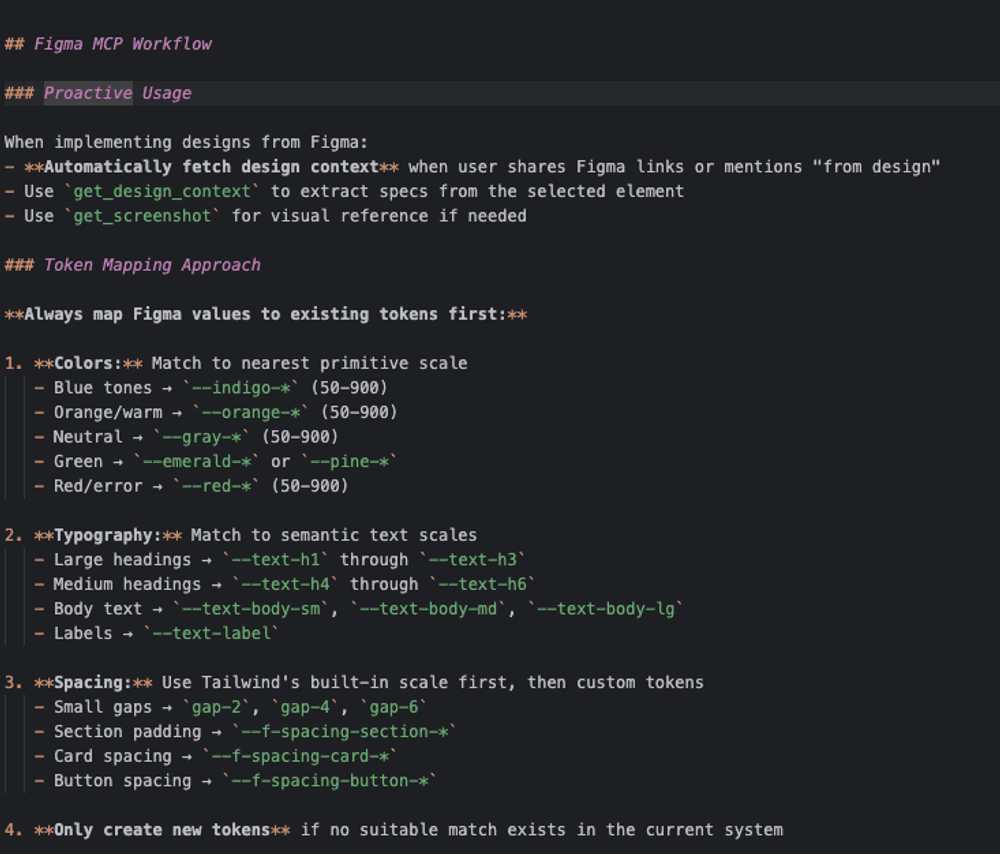
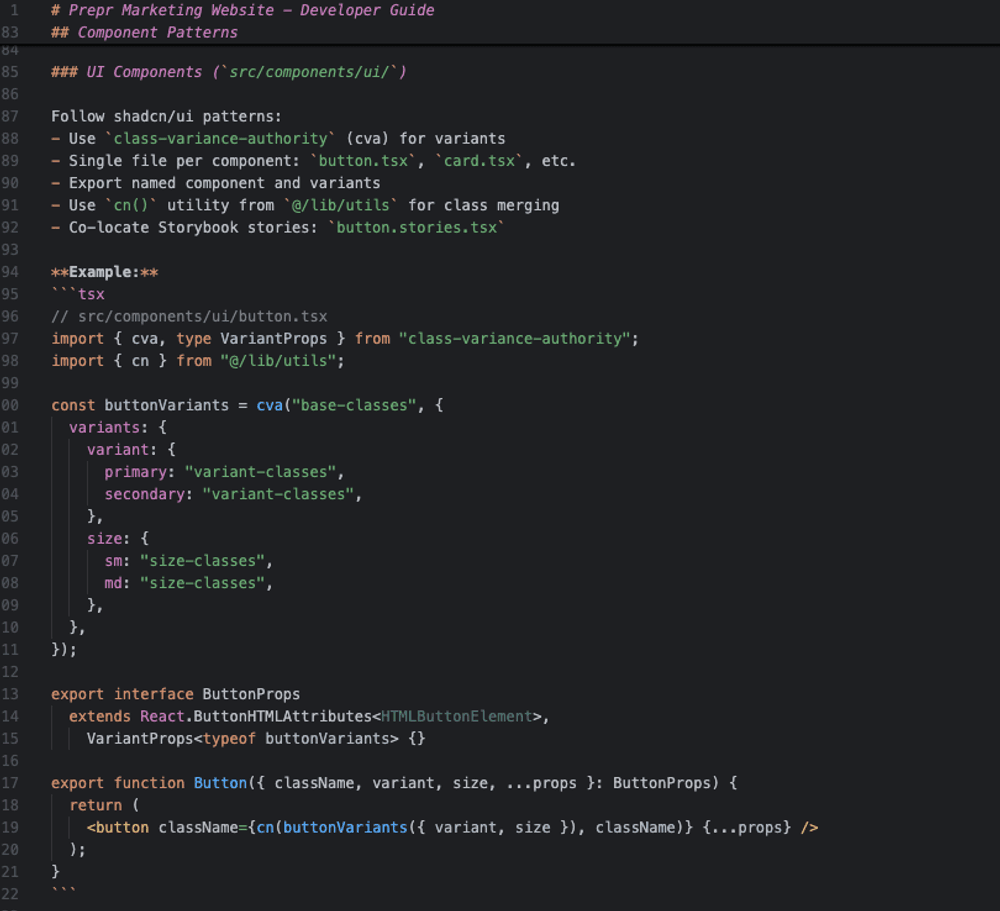
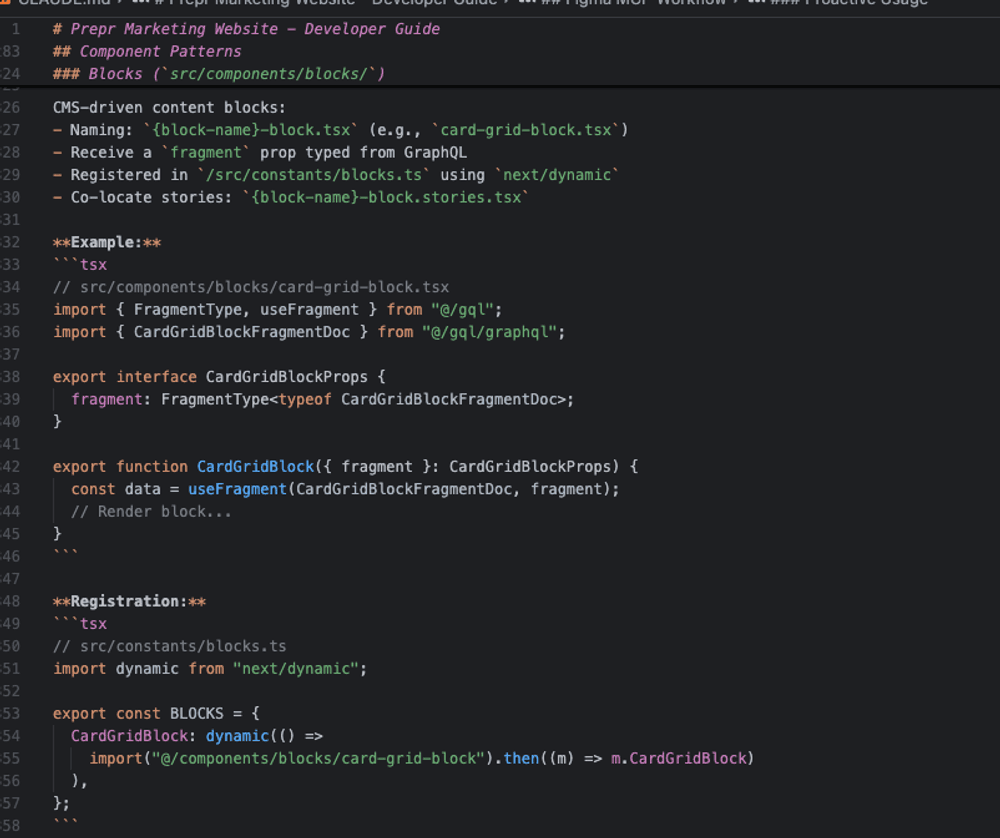
That includes guidance on things like:
- how to translate Figma designs into components
- which component and schema patterns to follow
- how files should be structured
- how design tokens should be mapped
- what to consider when generating the content structure in Prepr
This context matters a lot.
Without it, AI often produces code that looks technically correct but does not match how the project is actually built. With it, the output is much closer to something we can use directly.
This became especially important because we were not only generating front-end components. We were also asking AI to help generate schema, which only works reliably when the rules around schema structure and conventions are clearly defined.
We also reference our internal Prepr schema spec file in this setup, which helps AI understand what a valid content model should look like when generating new models.
From design to working code in 8 minutes
A good example of this workflow was one of the add-on cards we are rebuilding for our pricing page.
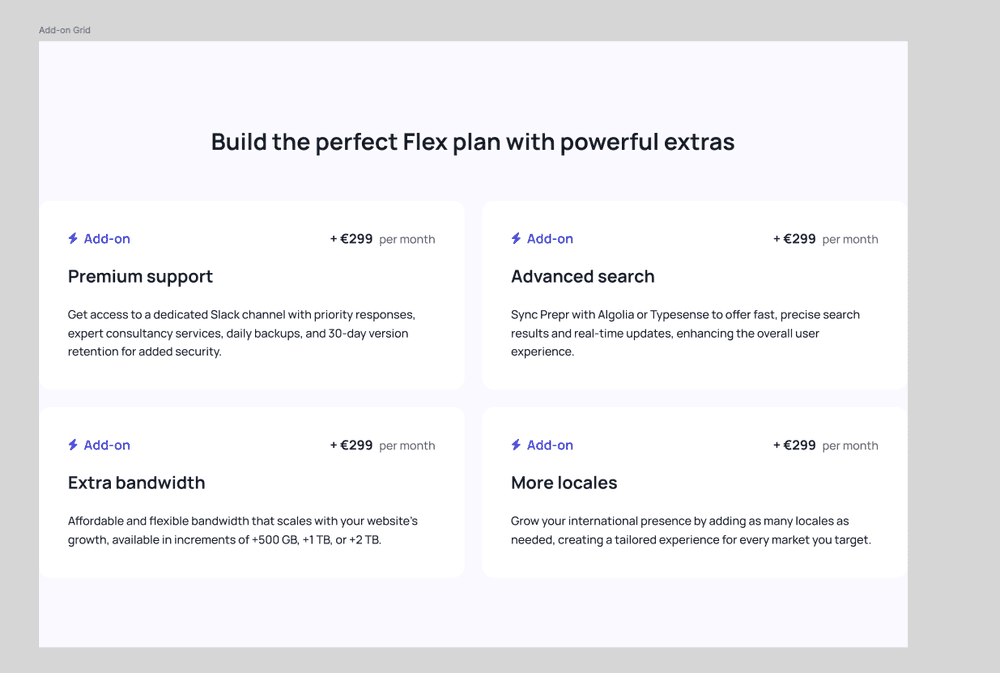
Our designer had just finished the design for the component, including both the individual card and the grid layout it would be used in.
Add-on card design

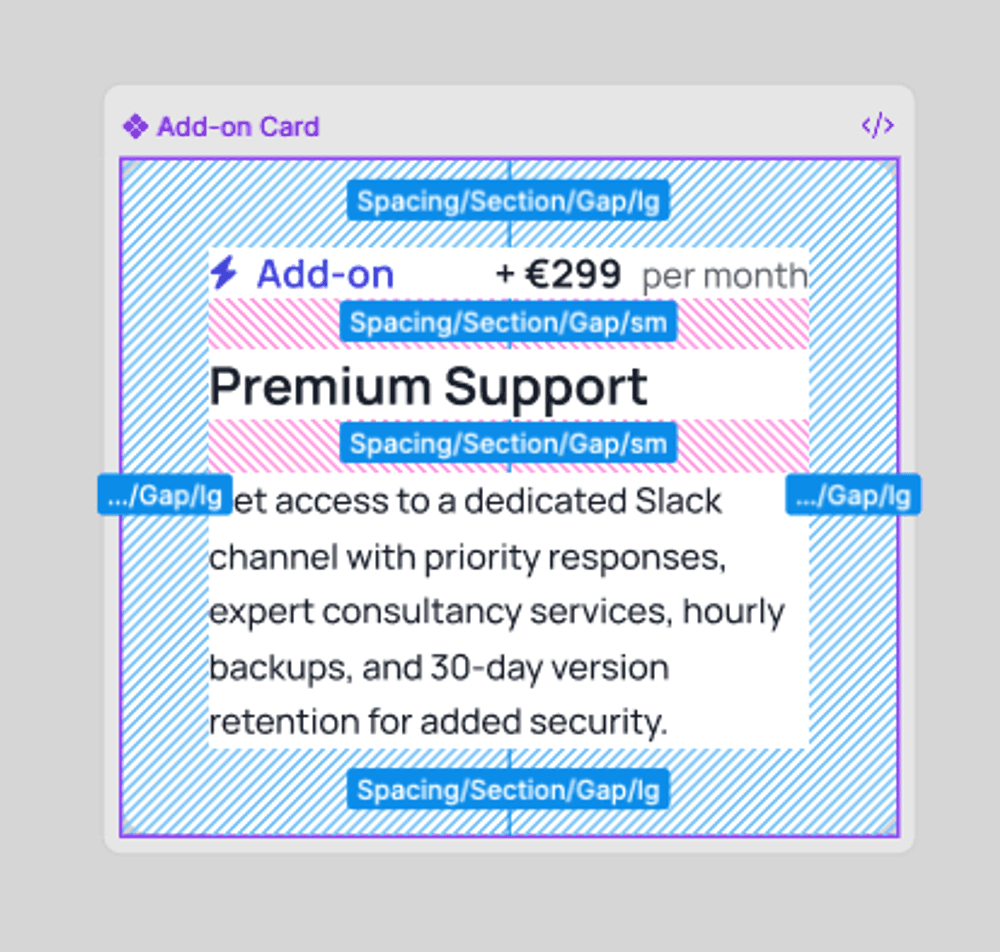
The component itself is fairly straightforward, but it still includes both static and dynamic elements. The icon and the “Add-on” label are fixed, while the price, headline, and supporting text need to come from Prepr.
The schema for this component did not exist yet, so we asked AI to generate it as part of the implementation as well.
Before letting it write code, we always start in plan mode first. That allows us to review how it interprets the request before it changes anything in the codebase.
We provided the Figma designs, explained which content should be static versus dynamic, referenced existing schema patterns, and described where the component would be used.
Prompt used for the component
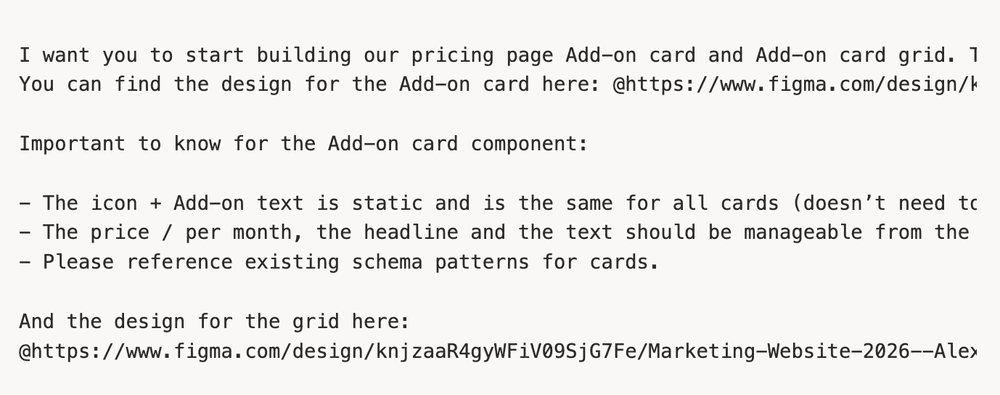
Based on that input, Claude generated a full implementation plan covering the schema, GraphQL fragment, component files, block registration, Storybook stories, and validation steps.
Claude’s generated implementation plan
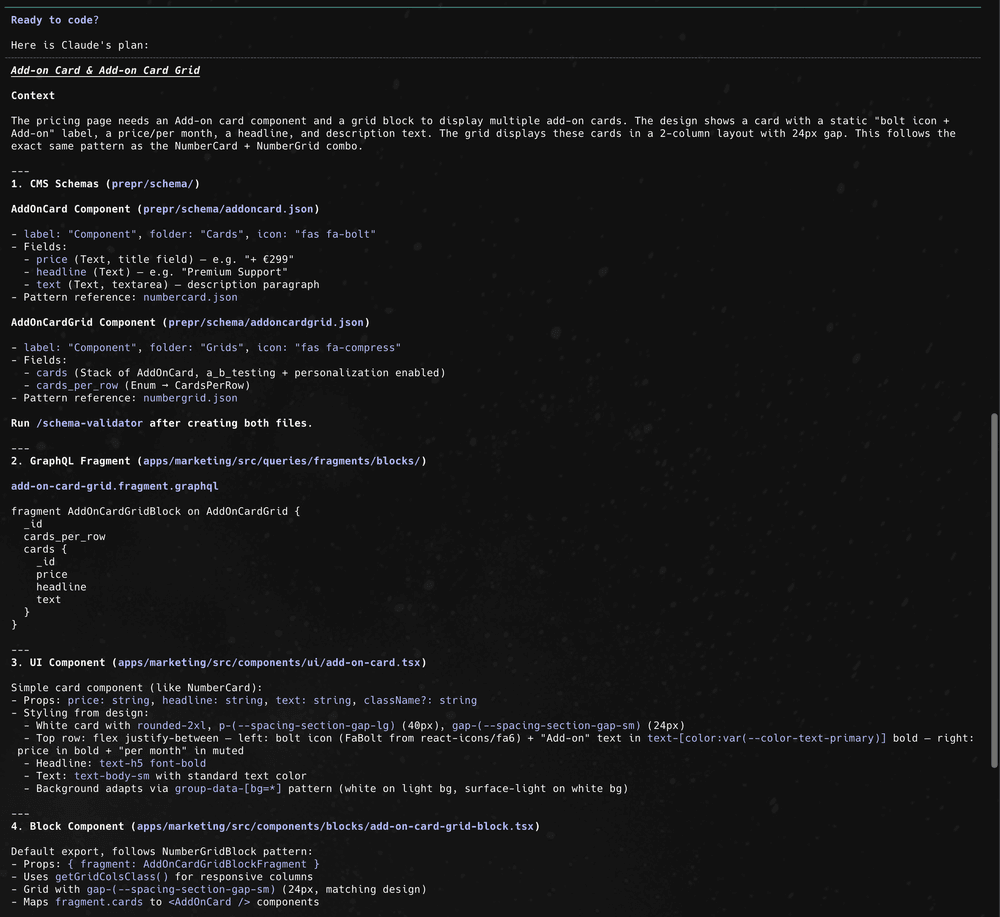
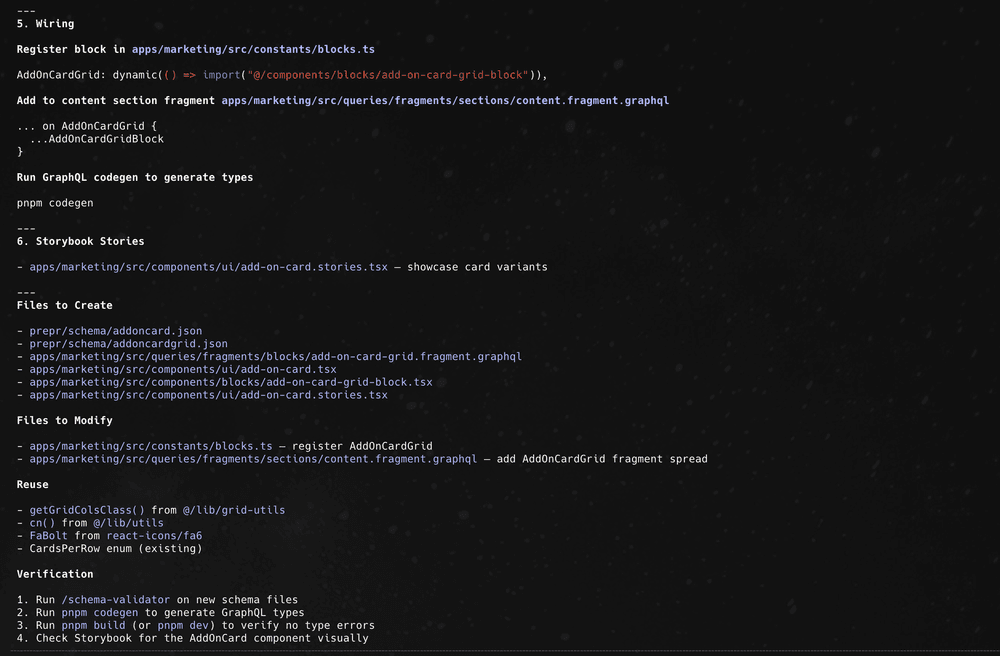
From there, we let it execute the plan.
The first schema validation failed because one required reference field was missing from the generated schema. That requirement had not yet been documented clearly enough in our instructions.
Validation error after first schema import

After updating the instructions and running it again, the schema imported successfully, and the component rendered correctly in Storybook.
Successful schema import in Prepr
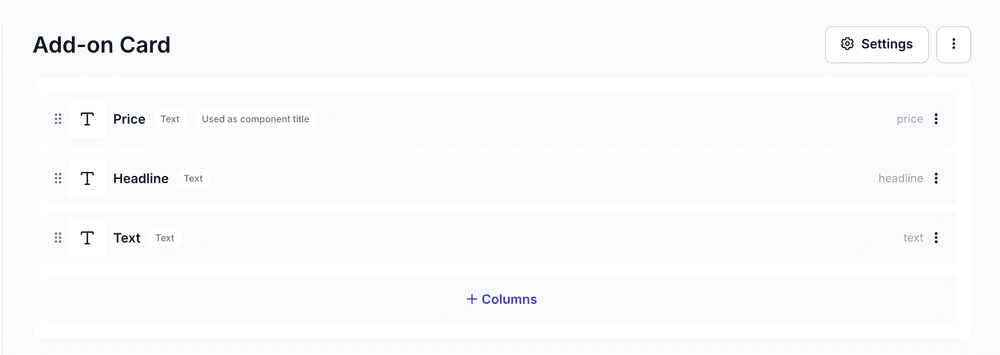
Generated Add-on Card preview
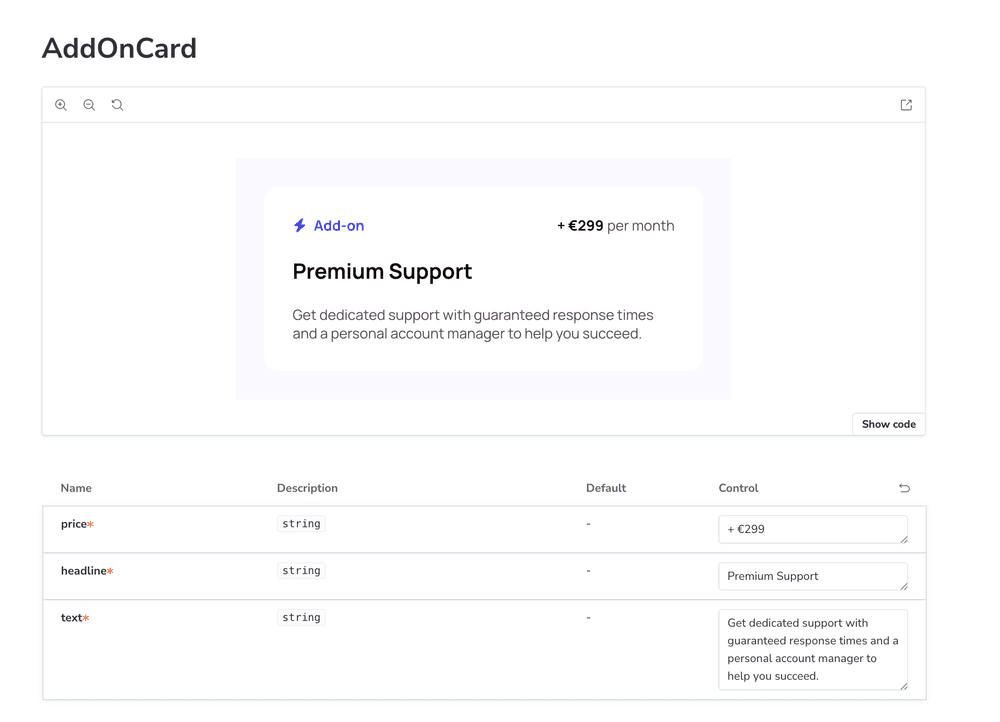
From the moment the design was finished to having a working implementation in code, the entire process took roughly 8 minutes.
That included generating the schema, building the component, wiring it into the block system, and validating the result.
Without this workflow, implementing the same component manually would have taken significantly longer, especially when accounting for all the surrounding setup beyond the UI itself.
What AI handled well, and where review is still needed
The generated output was largely correct and gave us a strong first version to work from.
What stood out most was that AI translated the design accurately into code. Because the design system, token mapping, and component patterns were already clearly defined, it applied the right spacing, typography, and layout decisions with relatively little deviation from the original design.
It also generated the Prepr content structure well. The overall setup matched the component requirements and followed the schema validation rules we had provided.
That said, the output still required review before we would consider it production-ready.
For example, AI modeled the price field as a formatted value including “+ €299.” Technically, that works, but from a content modeling perspective, we would likely prefer editors to manage the raw numeric value while formatting is handled in the component itself.
That is a relatively small adjustment, but it shows why review remains necessary. AI can generate a strong implementation draft, but it does not automatically make the best architectural or modeling decisions unless those preferences are explicitly defined.
We also manually review schema details such as which fields should be required, how flexible the model should be, and whether the generated structure makes sense for future use cases.
One limitation is that while our schema spec file helps AI generate a technically valid content structure, it does not yet teach AI what we consider best practice for modeling content in Prepr.
That kind of guidance is more opinionated and team-specific. It reflects how your team prefers to structure content, model relationships, and plan for future reuse.
Those are the kinds of rules that belong in a file like CLAUDE.md, and over time, we expect tooling around Prepr schema generation to improve further in that area.
The main takeaway is that AI can accelerate implementation significantly, but it still works best as part of a guided workflow. It handles execution well when the rules are clear, but review and architectural decisions remain human responsibilities.
What this rebuild taught us beyond our own website
One reason this project mattered beyond our own marketing site is that it exposed many of the same challenges our customers face when working with Prepr.
Reworking content models, introducing new component patterns, migrating content, and modernizing an existing setup without breaking everything are all common parts of evolving a CMS project.
By going through that process ourselves, we were able to test better patterns, improve our own workflows, and learn where the friction still exists.
This article covered one part of that process: how we used AI to speed up component development during the rebuild.
The broader project is giving us insight into many other areas as well, from schema design and migration to developer tooling and best practices. We will share more of those learnings as the rebuild continues.