

A few months ago, adding a piece of content to Prepr meant doing it manually.
You'd finish a draft in Notion or Google Docs, then recreate it in the CMS: copy the title, paste the body, assign a reviewer, and move it into the right workflow stage. AI could already help write the content, but once the draft was finished, someone still had to manage everything that came next.
So we asked a simple question: if AI could already help write the content, why couldn't it also help manage everything that happens around it? That's one of the workflows the Prepr MCP Server was designed to support: a way to connect an AI agent directly to Prepr so it can create, update, and move content the same way a person would, just by being asked.
Since releasing it, we've documented how teams are using AI agents in Prepr. Many of the first use cases have little to do with generating content. Instead, they focus on the operational work around it, reducing repetitive tasks and making quality control easier to build into everyday content operations.
How teams are using the Prepr MCP Server
As more teams start experimenting with the Prepr MCP Server, the same kinds of workflows keep appearing.
They are not asking the agent to do anything particularly complex. Most requests focus on everyday content work, and although every team uses the MCP Server a little differently, the same patterns emerge again and again. Looking across the examples we've documented, they naturally group into five areas:
- Get content in the CMS faster: Turn drafts from tools like Google Docs or Notion into structured content items.
- Improve content quality: Review drafts, apply feedback, and catch missing information before publishing.
- Keep content consistent: Update branding, review translations, and identify duplicate content.
- Manage content operations: Coordinate workflow changes and keep content aligned with product releases.
- Create demo content: Populate new environments with realistic sample content.
None of these workflows change how content teams create great content. They change the work that surrounds it. Instead of spending time on repetitive operational tasks, teams can focus on reviewing, improving, and publishing content.
The rest of this article walks through one real example from each of these five areas, along with the actual prompts behind them.
From Google Docs to Prepr in a single request
One team we talked to drafts almost everything in Google Docs first. Blog posts, landing page copy, and announcements are all written and reviewed there before moving into Prepr. Getting content into Prepr is still a separate step, done by hand after the writing is finished.
Instead of doing that step manually, they ask the agent to take over.
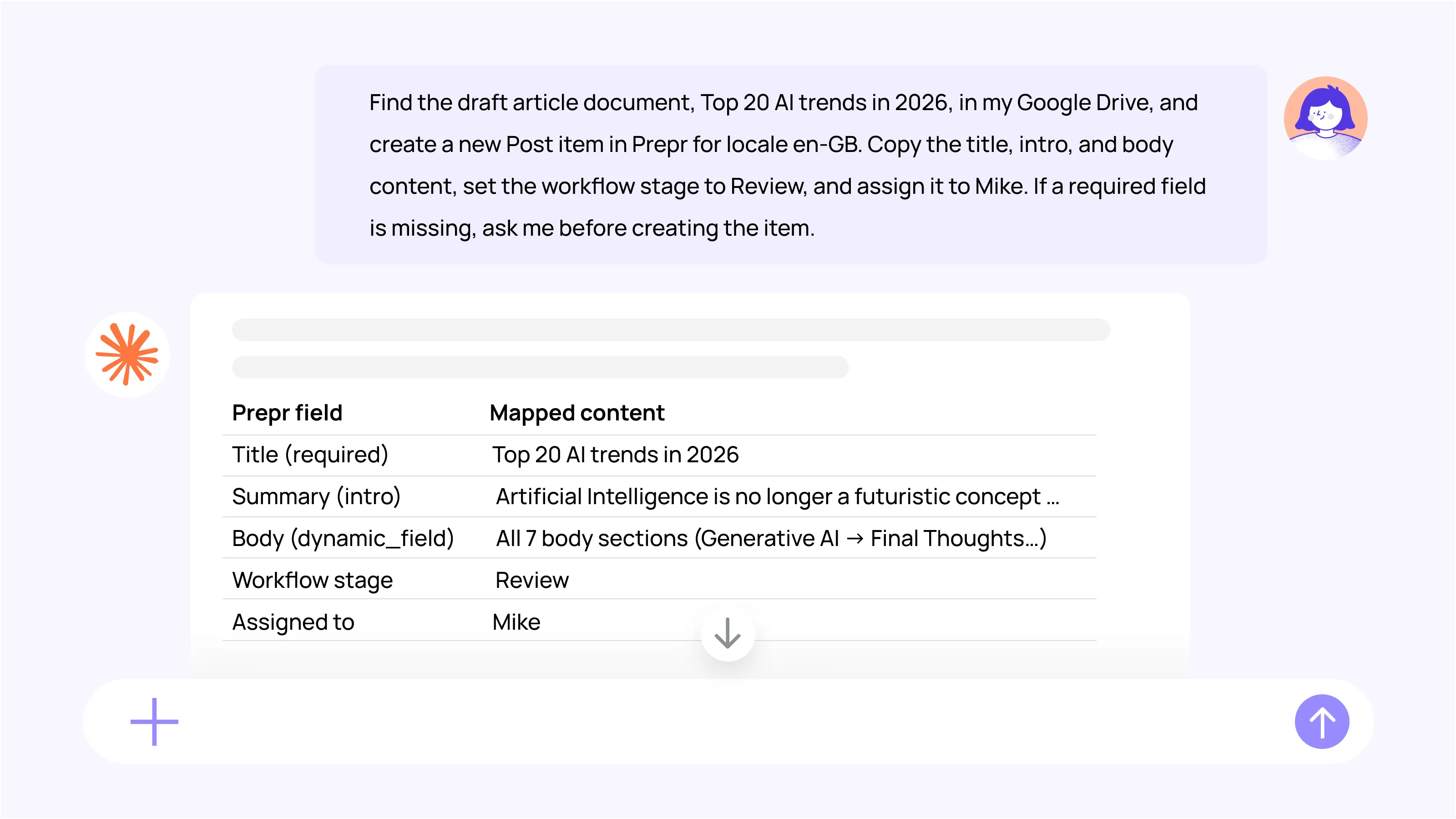
The agent creates the content item, copies the requested fields, assigns it to the right reviewer, and moves it into the Review stage. If any required information is missing, it stops and asks for clarification before creating the item.
The last part of the prompt is worth noticing. Rather than guessing or leaving required fields empty, the agent is instructed to ask first. That keeps the workflow under the editor's control while removing the repetitive setup work that happens between a finished draft and the review process.
Finding missing content before publishing
Thirty unpublished blog posts are sitting in Prepr for weeks, finished but not yet checked before going live. The content team suspects a few have gaps, such as a missing image, a missing SEO field, or something incomplete, but nobody has time to go through them one by one.
Instead of clicking through each draft individually, the request goes to the agent.
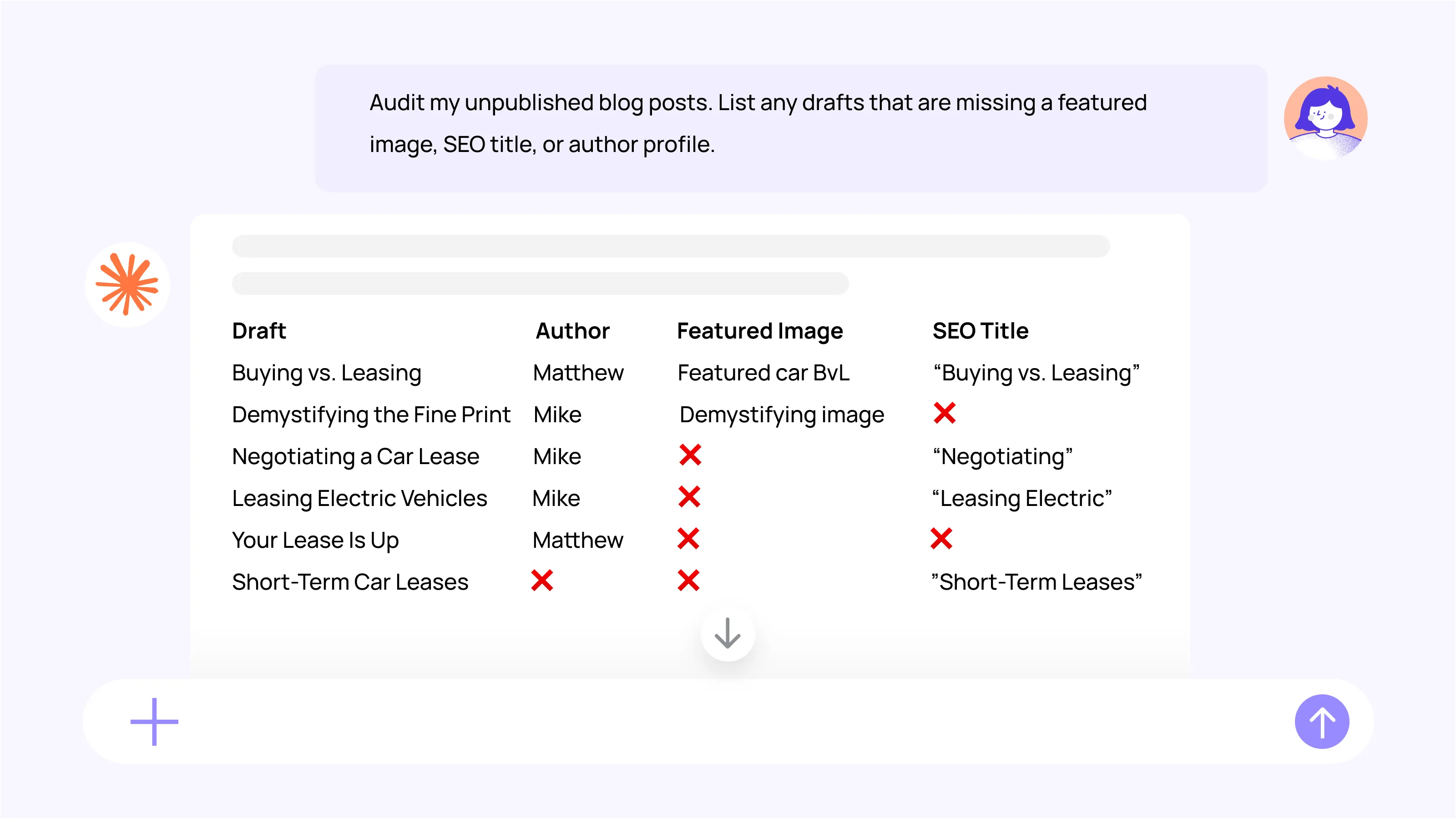
The agent reviews all thirty and returns a list: six posts with no featured image, three missing an SEO title, and one with an empty author profile. The team doesn't have to open a single draft before knowing exactly what needs fixing and where.
From there, the team can decide how to handle the results. For example, they can ask the agent to add the missing author profiles, generate SEO titles for review, or simply use the report as a checklist for the editorial team.
Updating content when the brand guide changes
A marketing team we spoke to has recently updated its brand guidelines after changing a product name, replacing a tagline, and retiring several terms that have been used for years.
Updating the guide was the easy part. The harder part is finding every place where the old language still appears across hundreds of landing pages and blog posts. Nobody is going to reread all of them, hoping to catch every outdated product name or retired tagline along the way.
So the request goes to the agent instead.
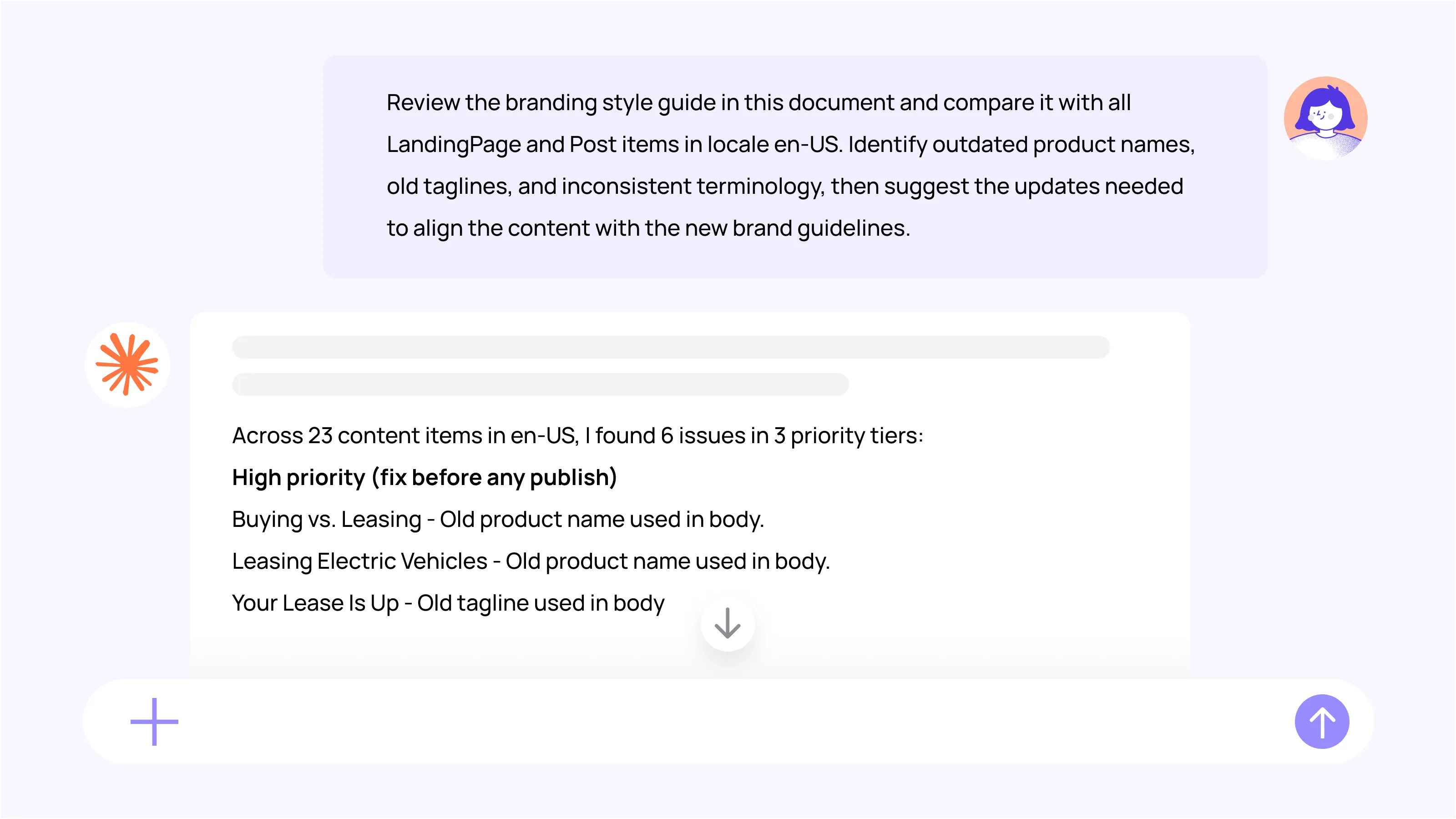
The agent returns a specific list of content items that need a second look: pages still using the old product name, others with a retired tagline, and smaller wording inconsistencies scattered across landing pages. Nothing is changed automatically. Each item on the list comes with a suggested fix, and someone on the team reviews them one at a time to decide what to actually update.
The agent doesn't touch a single page on its own. It finds the places that needed attention, proposes what to do next, and leaves the final decision with the people responsible for the content.
Managing a campaign update in one request
A spring campaign is wrapping up, and every article tagged to it needs the same three things done: reassigned to a new owner, moved to the next workflow stage, and confirmed before anything actually changes. Doing that one article at a time in the CMS interface is manageable when there were three or four. This campaign involves dozens.
The request goes to the agent as a single batch instruction.
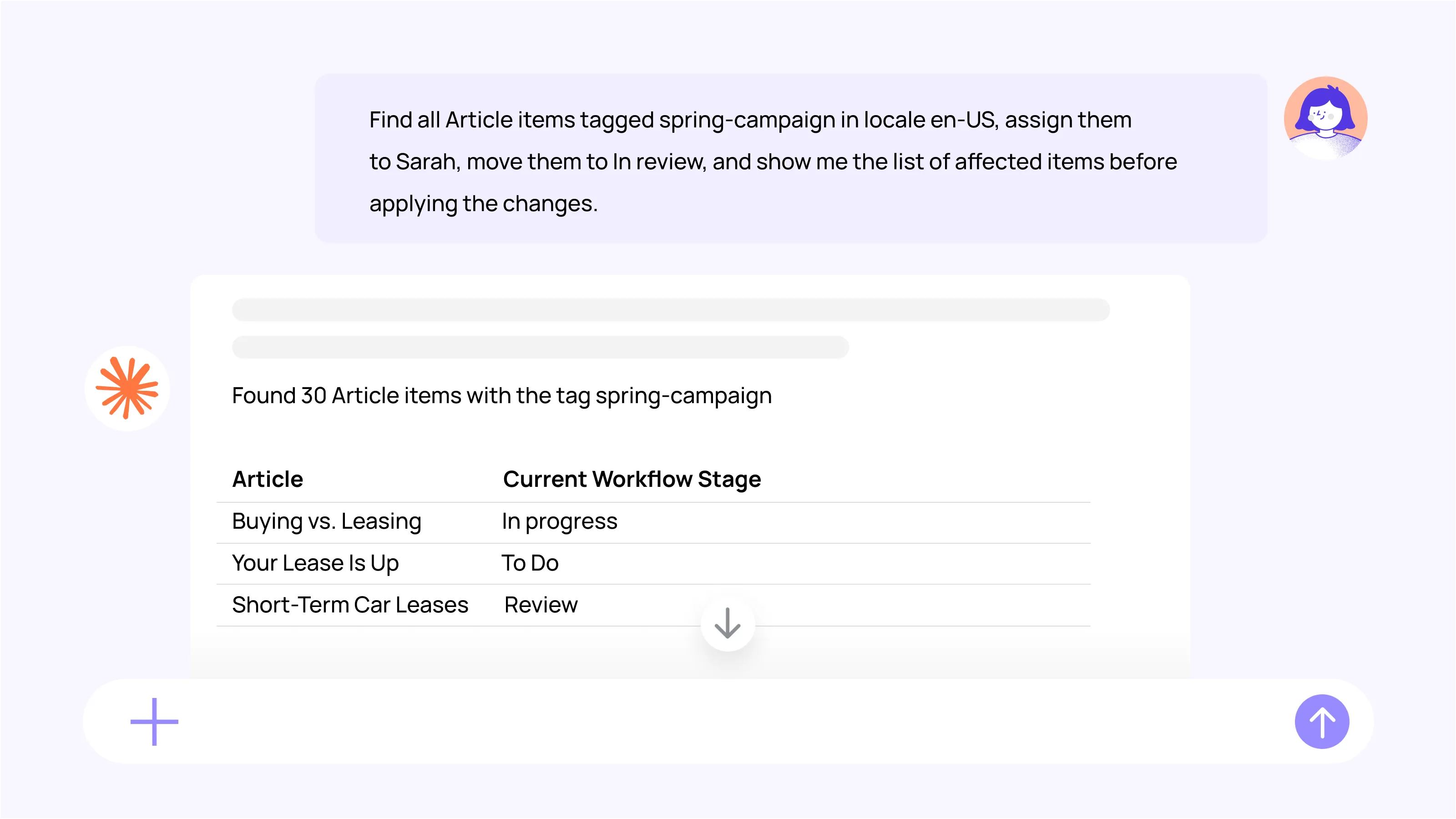
The agent first returns the complete list of matching articles without making any changes. Once the team confirms everything looked correct, it reassigns the content and updates the workflow stage across the entire batch.
That confirmation step is worth paying attention to. The request isn't just to make the changes, but to show exactly which content will be affected before anything happens. When you're working across dozens of content items, that extra review step helps prevent mistakes while still removing the repetitive work.
Creating realistic demo content in minutes
A truck leasing company works with partners in different countries, each responsible for managing their own content.
When preparing a product demo for a potential new partner, the team doesn't want to show an empty CMS or rely on generic placeholder content. Instead, they want the environment to reflect the partner's business, making it easier to demonstrate how the platform could be used in practice. Creating dozens of products and categories manually for every demonstration would take far longer than preparing the demo itself.
Instead of creating the content by hand, they ask the agent to generate it.
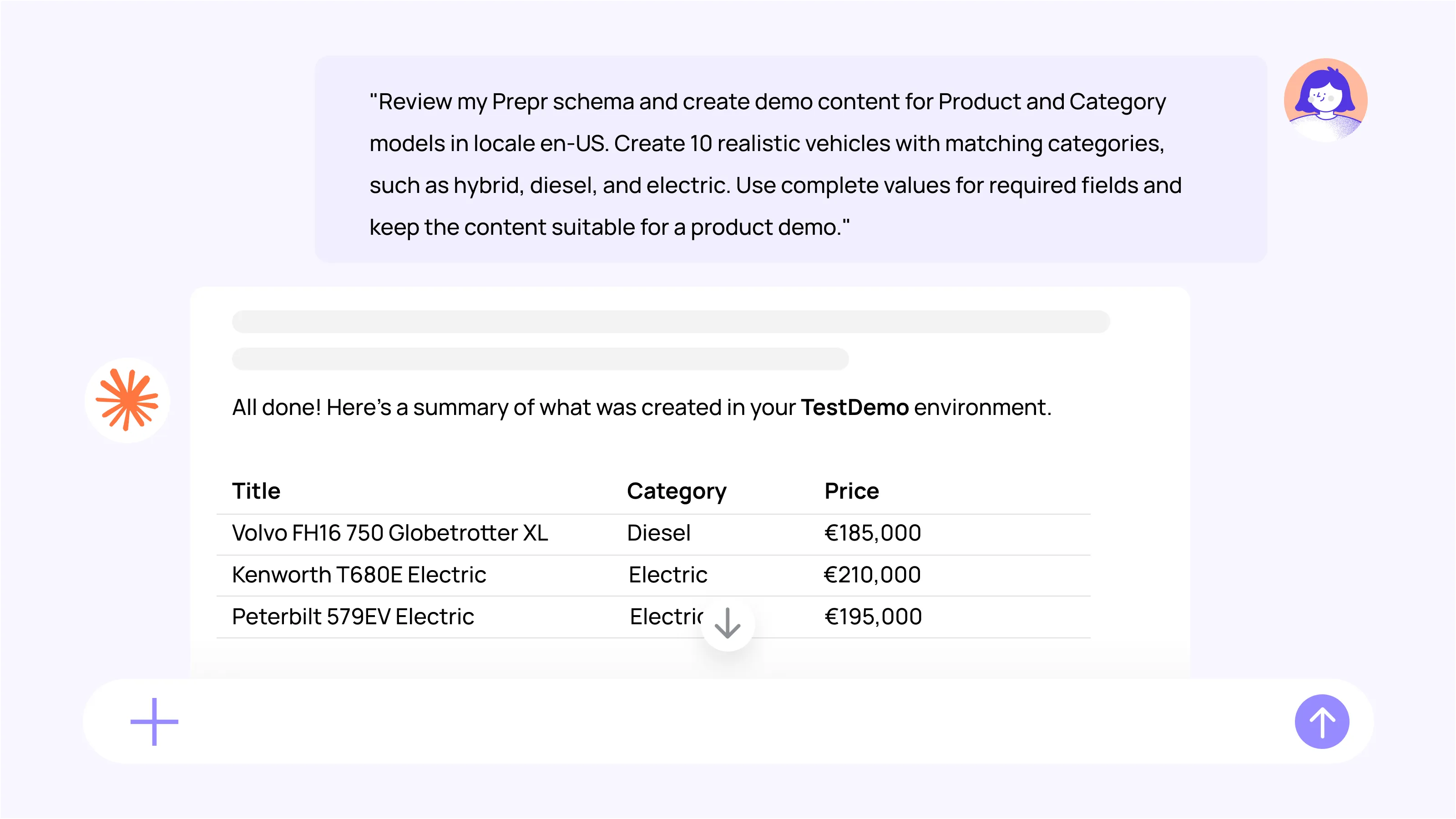
The agent first inspects the schema to understand the available content models, required fields, and relationships between them. It then creates a complete set of realistic content that fits that structure.
Instead of starting with an empty CMS, the team has a realistic environment they can tailor to the prospective partner before the demonstration. That allows them to focus on showing how the platform supports the partner's day-to-day work, rather than spending time creating sample content from scratch.
A different kind of productivity
For the past few years, most conversations about AI in content have focused on writing. How quickly can it produce a first draft? How well can it rewrite a paragraph? How closely does it match your tone of voice?
The examples in this article suggest another place where AI can make a difference.
None of these workflows changes the creative work. Teams still write the articles, review the copy, approve the branding changes, and decide what gets published. What changes is everything around those decisions.
That's a different kind of value than the productivity conversation around AI usually lands on. It's not only that the copying and the assigning got faster. It's that a level of quality control most teams knew they should be doing, but often didn't have the time for, suddenly became much easier to build into the workflow.
Maybe that's the bigger shift. Not replacing the work people care about, but making it easier to consistently do the work that often gets squeezed between deadlines.